
iPhone · iPad · Mac
Pìcciuli
In Sicilian, “pìcciuli” means money: the real kind you count at the end of the month. Pìcciuli keeps spending, income and budgets under control, with a radar that tells you at a glance whether you're on course and where you're heading.
- No adsNo profiling and no advertising, ever.
- No bank linkYou enter transactions, import them from CSV or XLSX, or let recurring rules create them.
- Your dataIt stays on your device and, if you like, in your iCloud or in the cloud you choose.
- EncryptedData files and backups open only with Pìcciuli.
The monthly radar
Where your money goes, at a glance
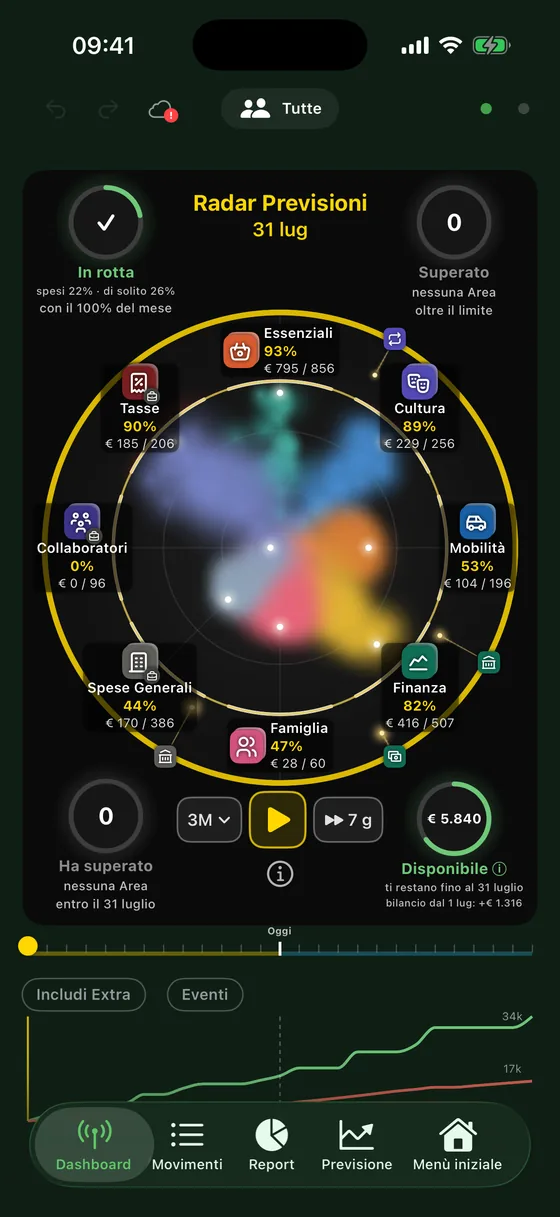
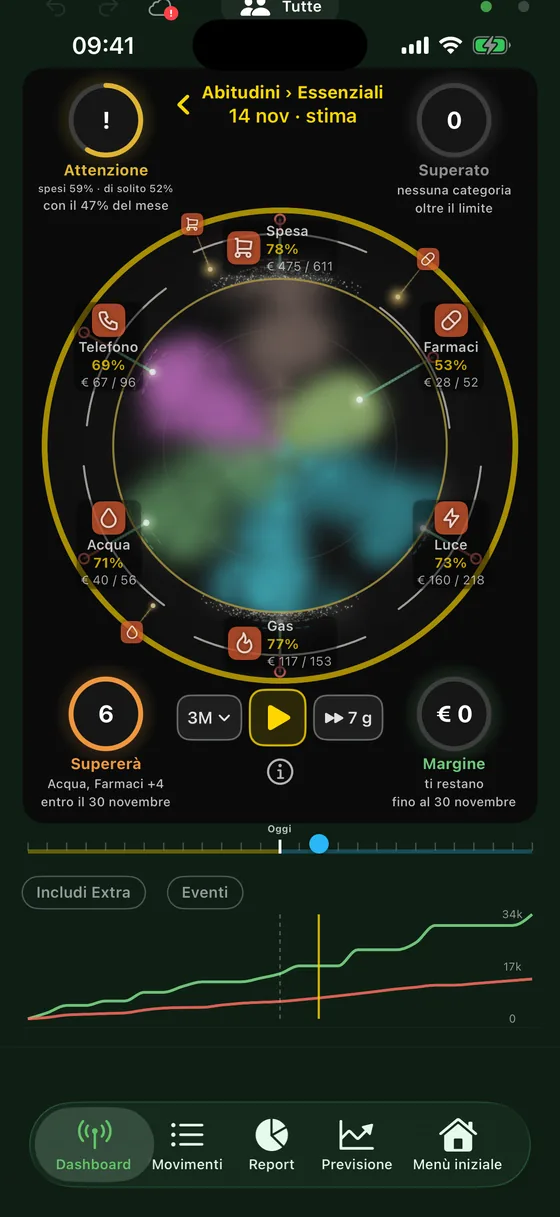
Each spending Area is a cloud in its own colour. The further the cloud stretches, the closer you are to the month's limit.
- The golden ring is the monthly cap you chose in the Budget.
- The white arc is the limit including carry-over: savings from past months give you more room, overspending takes some away.
- The bright dot is what you've spent so far; the trail reaches where you'll be at month end at the current pace.
- The golden dots are the expenses due in the next 7 days.
- Under each Area you read the share of the limit already used and what you've spent against the limit.
The dashboard
Four circles that answer four questions
Course
How much of the month's money you've spent compared with the days elapsed and with your usual.
Over
The Areas already beyond their limit, and those covered by the others' savings.
Will exceed
The Areas that will go over by the end of the month, at the current pace.
Available
The balance expected at month end, including card expenses not yet charged.
The radar's border changes colour with the expected balance: gold if it covers next month's usual spending, amber if it's lower, red if it goes below zero.
Inside an Area
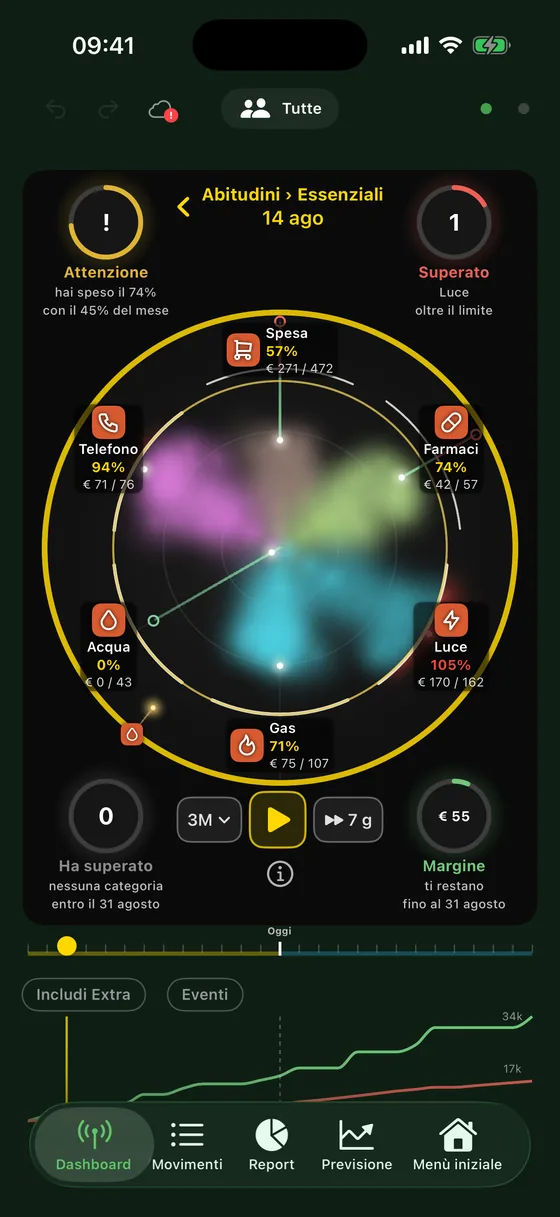
Tap an Area to see its categories
The same radar, with a cloud for each category in the Area. The same four circles tell you what's happening inside the Area and how much margin you have before the limit.
Below the radar, Pìcciuli suggests what to do: a limit set too low for your habits, an unusual expense, an Area with no cap.
Over time
Press Play and watch the months go by
The radar replays the past, from the month of your first transactions, and continues into the coming months with an estimate based on your habits, seasonal ones included. Next to Play you choose the span, from one month to a year, and the step: 7, 14 or 30 days. On Mac, the space bar is enough.
With Events on, playback stops at key changes, such as an isolated spike or spending that rises and stays high, and shows a summary at the end.
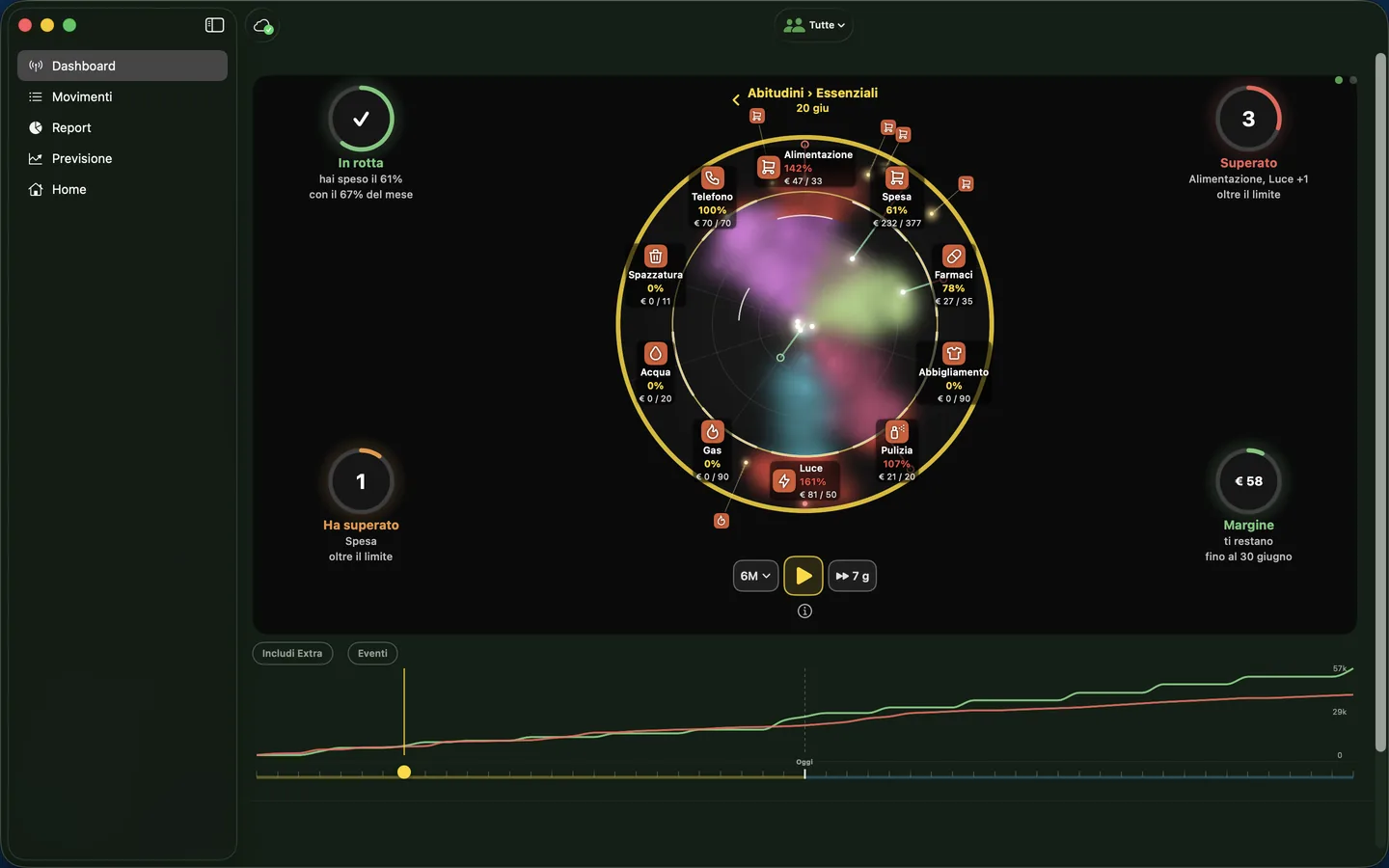
On Mac
All the room of a big screen
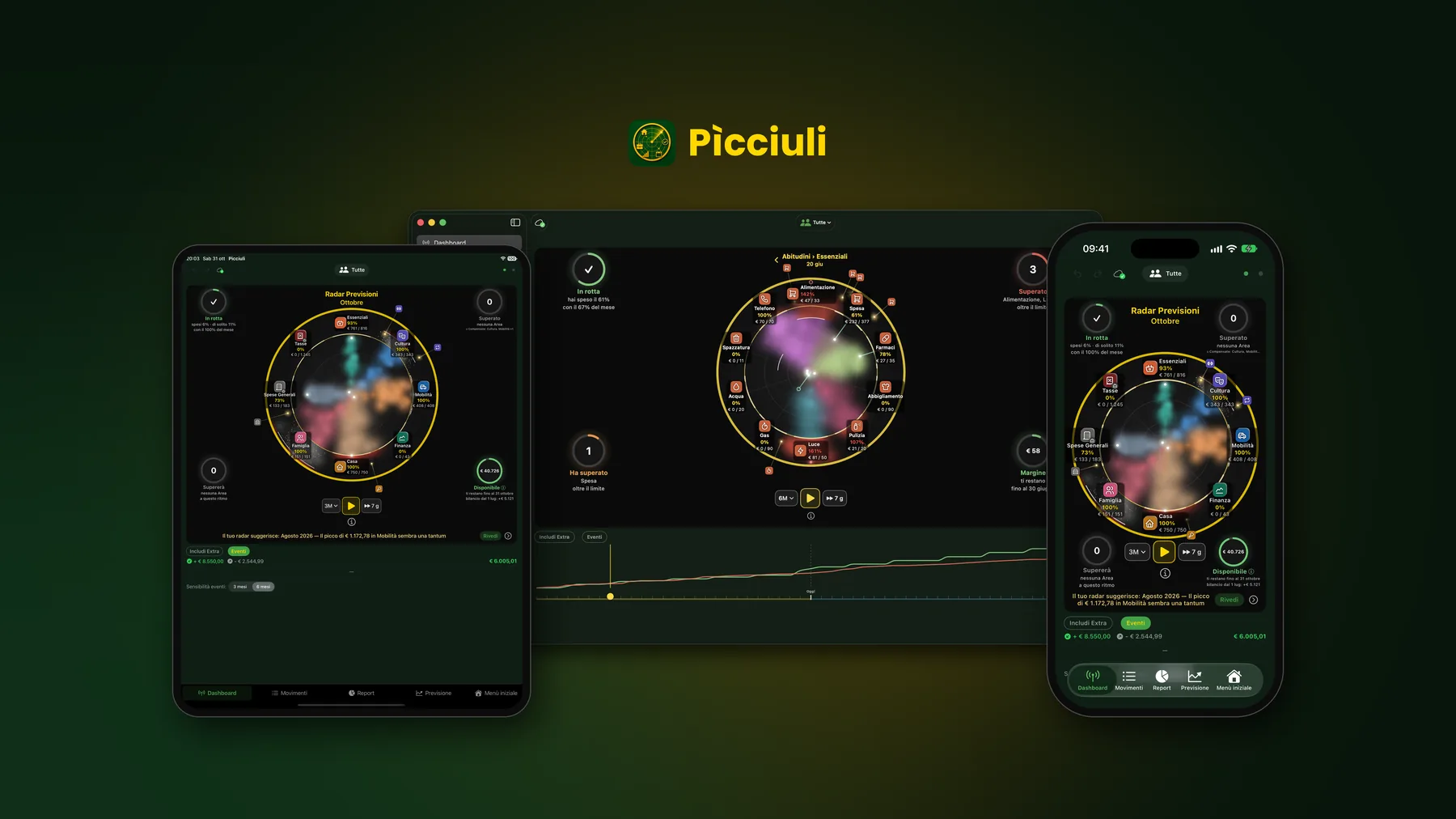
On Mac the four circles sit in the corners of the radar and the timeline chart runs below, always in view.
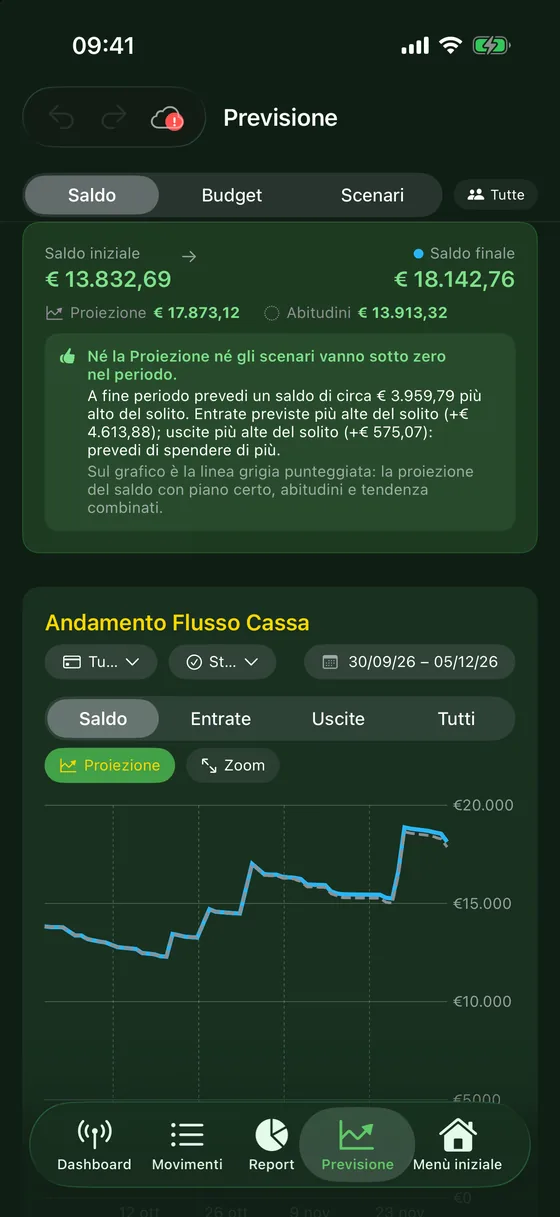
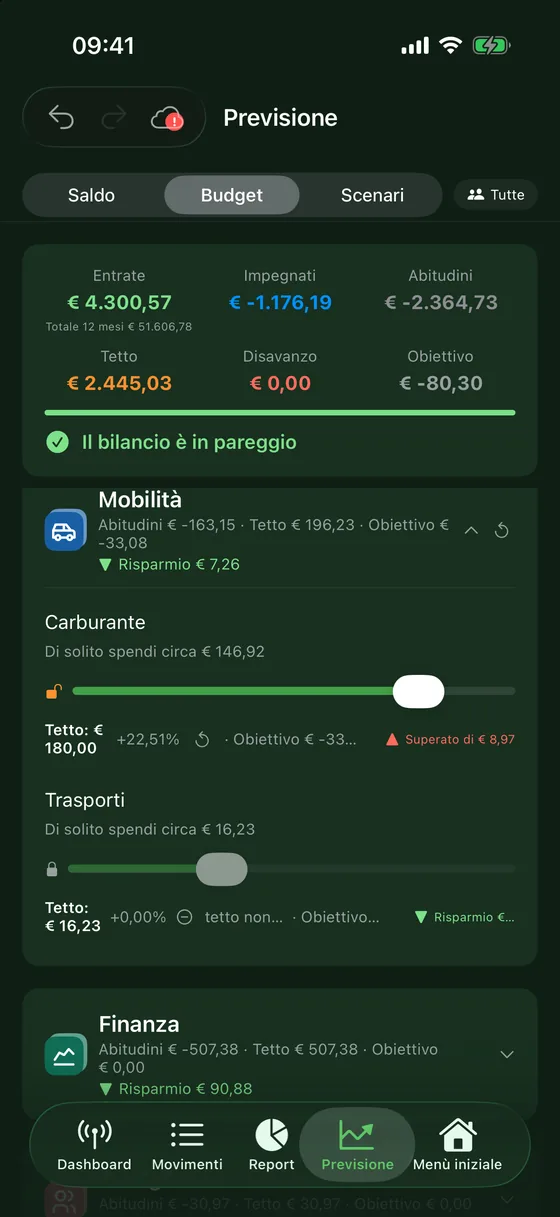
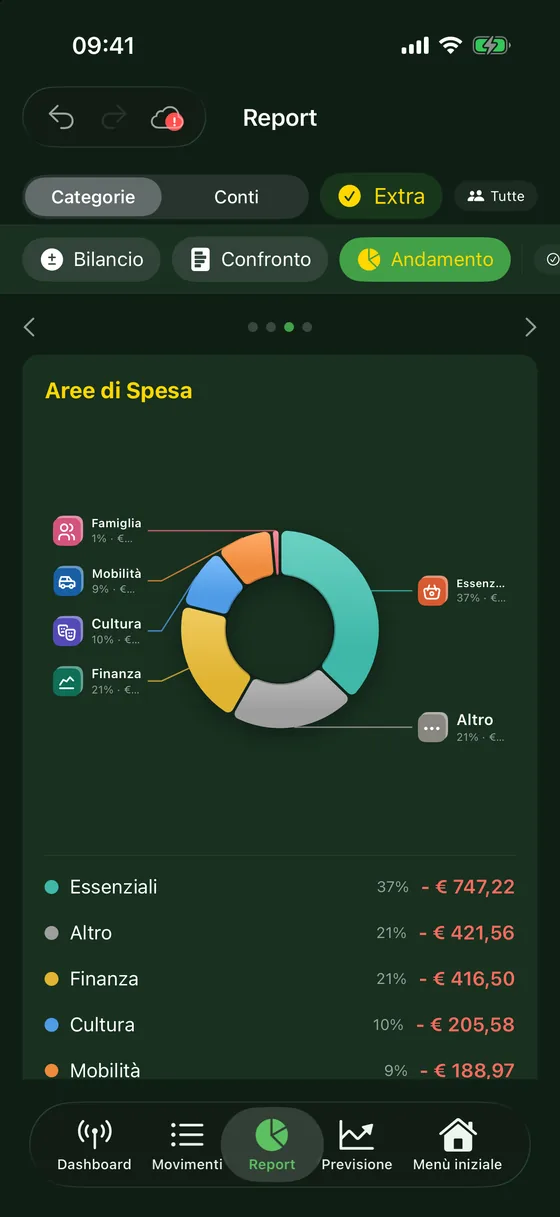
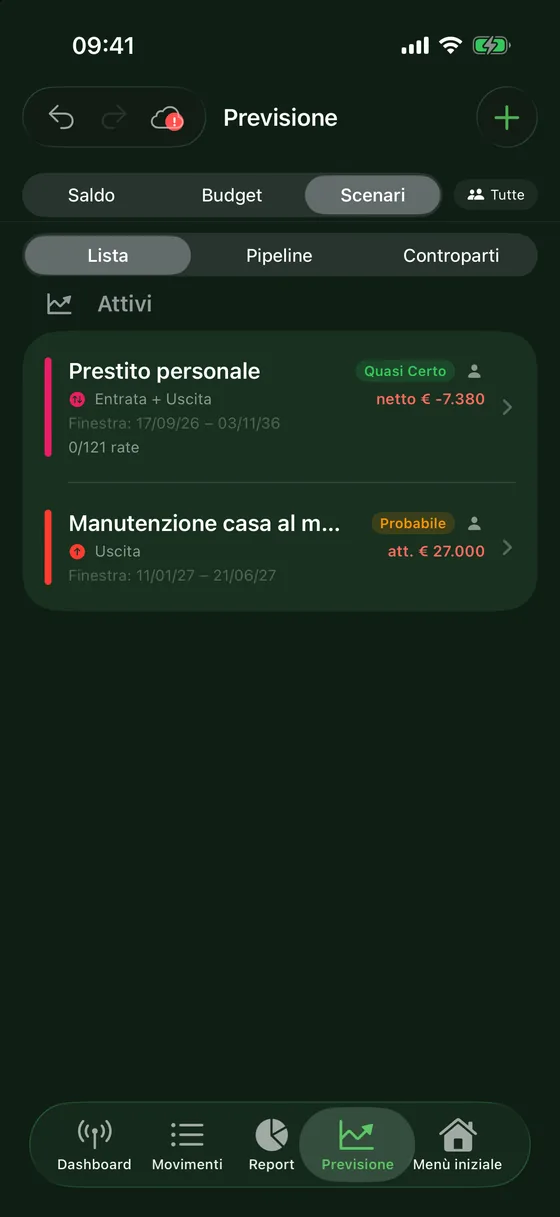
Forecast, Budget and Report
You already know how the month will end, and the next ones
Every day
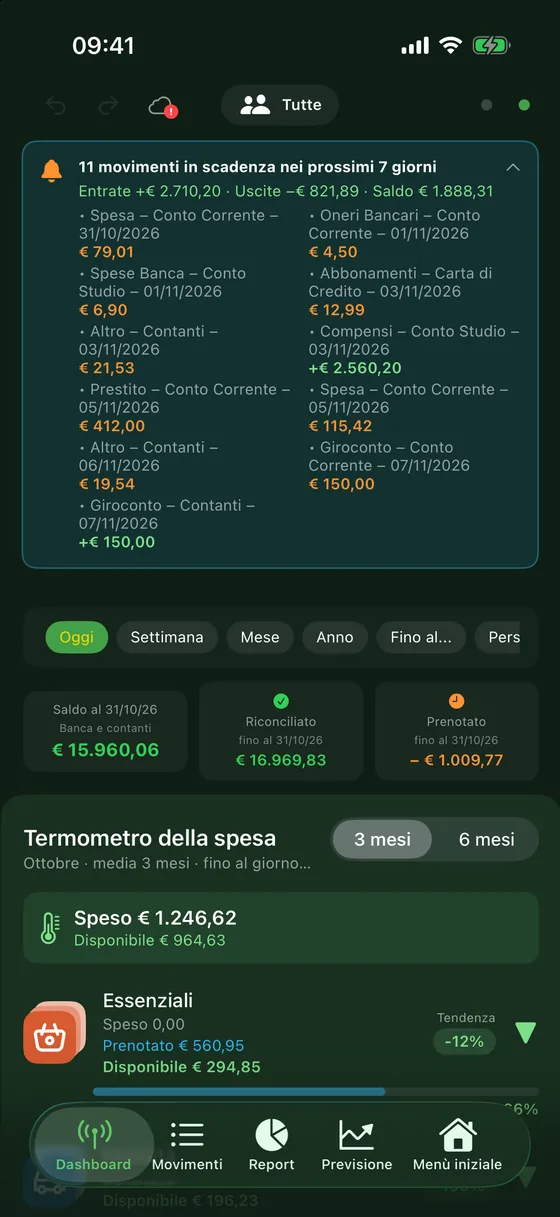
Transactions, due dates and receipts
- Accounts, cash and credit cards in one place, with the card charge worked out for you.
- Recurring transactions: salary, loan payments, subscriptions, bills. Upcoming due dates appear at the top and, if you like, in your calendar.
- Receipts in a row: snap several, Pìcciuli reads amount, date and shop and lists them for you to check.
- Import CSV and XLSX files from your online banking, with warnings about possible duplicates.
- Widgets with the current month and upcoming due dates.
Freelancers
Personal and business in the same app
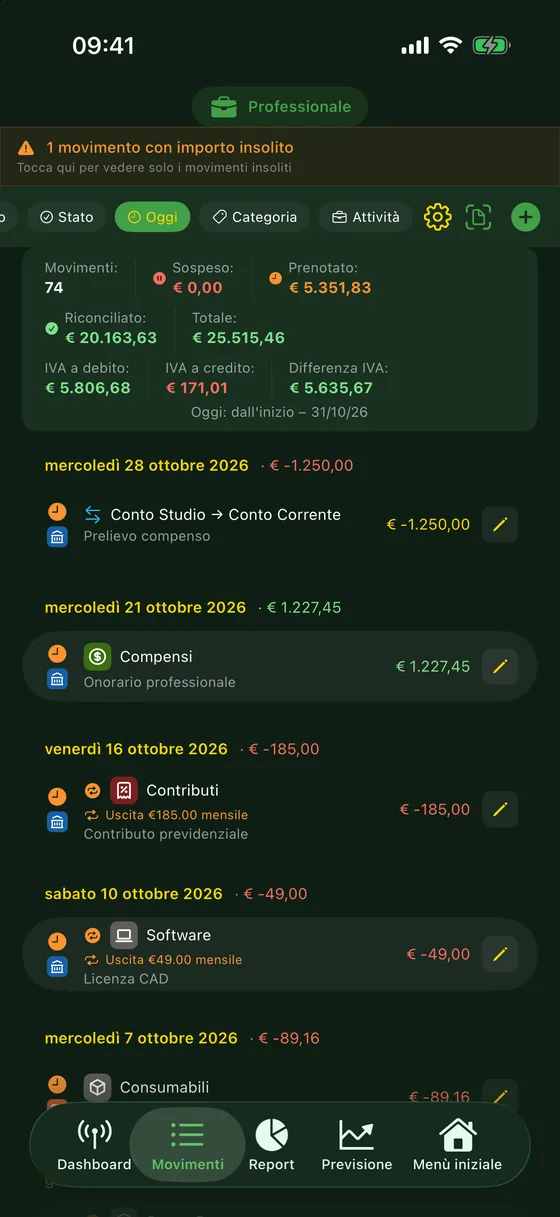
Accounts, categories and transactions can belong to your personal view, your business view or both. A selector filters everything you see.
On business transactions you enter the VAT rate and invoice number; the summary shows VAT payable, VAT receivable and the difference.
Privacy
Your data stays yours
- Pìcciuli has no servers: the developer never sees or receives your data in any form.
- You can sync iPhone, iPad and Mac with your personal iCloud, or with a file in the cloud you choose (Google Drive, Dropbox, OneDrive…).
- Data files and backups are encrypted on the device: only Pìcciuli can open them.
- AI features are optional: on compatible devices they use Apple Intelligence on the device; otherwise your own Claude or OpenAI key, and the provider only receives summaries.
Risk-free
Explore with sample data
Want to see a full radar before entering your own transactions? Open Pìcciuli and choose Settings → Information → Explore with sample data, or the button in the welcome screens. Your own data is set aside, untouched, and comes back when you exit the sample.
Pìcciuli is free, with no ads and no subscriptions. It runs on iPhone, iPad and Mac; the Android version is in preparation.